Posts Tagged ‘computer’

VGA Port Dimensions

Saturday, February 13th, 2010

The VGA port is a connector commonly found in electronic devices such as laptops, high definition TV sets as well as computer monitors. The acronym ‘VGA’ stands for video graphics array. It is also called by other names like the mini D-15 connector, mini sub D15 and RGB connector. The 15-pin connectors are arranged in three rows, each of which has five holes. In addition to these important facts, it is also good to know the different VGA port dimensions.

The Dimensions of a VGA Port

In terms of size, the VGA port is not that big. It only measures about 1.5 centimeters wide and 0.75 centimeter high. In 1987, the multinational computer company International Business Machines designed it based on the electrical connector called D-subminiature. In 1999, it was superseded by the DVI, which stands for digital visual interface. It makes use of the inter-integrated circuit data channel for display data channel information.

Additional Facts and Other Interesting Details

The VGA connector comes in four different versions. The first type is the original version, which is commonly called the VGA15 pin-out connector. The second one is the DE-9 connector, which is described as less flexible and older. The third type of VGA connector is the DDC2 pin-outs.

The last version is the mini-VGA, which is a common feature in laptop computers. It is usually found in various Apple computers like the iMacs, in the early forms of PowerBooks and eMacs. Furthermore, it can also be seen in iBooks. It is also featured as part of different Hewlett Packard computers such as the HP TouchSmart and the HP Minis.

Aside from laptops, the VGA connector is also used in many video cards. In order to differentiate it from the seemingly the same connectors such as those with only two rows of pins, it is technically referred to as the DE-15, High-Density 15 or HD-15. Sometimes, it is called inappropriately as an HDB-15 or a DB-15. The primary purpose of a VGA connector is to carry video signals, particularly of the analog component called RGBHV. In addition to these signals, it is also used to carry other data and the DDC2 digital clock.

When the space is limited, manufacturers commonly use a mini-VGA port instead of the standard-sized VGA connector. Aside from its use in personal computers, the use of video graphics array has become very popular in mobile devices, particularly for enhancing their resolutions. The VGA specifications include 70-Hz refresh rates, a maximum of 600 lines and a maximum of 800 horizontal pixels. Moreover, it can support alphanumeric text modes as well as graphic modes that are All Points Addressable.

How Big is Google Data Centre?

Friday, February 5th, 2010

Known for its success in the Internet search industry, Google is a profitable public corporation engaged in video-sharing, social networking and online mapping services. Aside from these things, it is also known to specialize in office productivity as well as e-mail. In recent years, it has developed a mobile phone operating system and an open source web browser. Its official headquarters is called the Googleplex, which is found within the City of Mountain View in California. In addition to these important facts, it is also good to know the size of the Google data center.

The Size of the Google Data Centers

How big is Google data center? Google has stationed numerous data centers all over the world, about 12 of which can be found in the United States. One of the biggest is dubbed as Project 02, which is nicely situated within the town called Dalles in Oregon. It has a size equivalent to a combined two football fields, which is close to 720 feet by 320 feet. The other significant data centers are found within the City of Goose Creek in South Carolina, the City of Lenoir in North Carolina and the City of Reston in Virginia. Likewise, you can also find one in the City of Atlanta in Georgia.

Aside from the United States, Google has stationed data centers in Europe. In the Netherlands, one facility is found in the City of Groningen while the other is situated in Eemshaven. Additionally, a big data center is also located within the City of Mons in Belgium. For 2009, the company is planning to build another facility, this time within the town of Hamina in Finland.

Additional Facts and Other Interesting Details

In addition to its massive data centers scattered in various parts of the globe, Google is also known for its beautiful and highly captivating headquarters called the Googleplex. This facility is one of the 23 different facilities established by the company in Canada and the United States. It also has five different locations in the Middle East, 14 in the Asia-Pacific region and 23 in Europe.

The Googleplex is made up of four main buildings, which cover approximately 506,310 square feet. Meanwhile, the corporate campus and office space can be found within a much bigger area. Surrounding this all-important facility is the Moffett Field to the east, the Silicon Valley research complex of Microsoft Corp. to the south, and the Shoreline Amphitheatre to the north. Google bought the properties of Silicon Graphics in June 2006, which included the $319 million-Googleplex.

How big is Plurk?

Monday, February 1st, 2010

Known for its impressive micro-blogging and social networking features, Plurk makes it possible for registered users to send plurks, which is a term that stands for updates. People use it via links or short messages, each of which includes up to 140 text characters. Created by the A-team, this multilingual micro-blogging site was launched in May 2008. In addition to these interesting facts, it is also nice to learn the extent reached by Plurk.

The Size of Plurk

How big is Plurk? It is easier to determine the size of Plurk by identifying the areas where it is highly popular. Based on reports, this micro-blogging site is very famous in Asian countries like Indonesia, the Philippines and Taiwan. According to the statistics, this site is ranked 26th overall in Taiwan, which makes up approximately 31 percent of its overall traffic. Likewise, 29 percent of its overall traffic comes from Southeast Asian countries.

Additional Facts and Other Interesting Details

Plurk is a commercial micro-blogging site wherein people are required to register first before they can enjoy and experience its various outstanding features. Designed to serve as a communication medium, it aims to connect the world of social networks and blogging. Furthermore, it also aims to simplify and bridge the gap between instant messaging and e-mail messaging.

The term ‘plurk’ comes from the shortened form of the words ‘people’ and ‘lurk.’ Besides this, it also blends the words ‘play’ and ‘work.’ The term ‘plurk’ may also stand for the terms ‘peace,’ ‘love,’ ‘unity,’ ‘respect’ as well as ‘karma.’ The interface of this social networking site features updates, which are arranged horizontally following a scrollable timeline. This interface makes use of the scripting language called JavaScript and can be updated via the web development technique referred to as AJAX.

Registered users of Plurk can easily send important updates to special friends. More importantly, they can also share a wide variety of media files including videos and photos. Friends can also engage conveniently in special group conversations. In addition to the usual text micro-blogging process, users can even send colorful emoticons.

On December 4, 2009, the developers of Plurk.com launched a public access to the application-programming interface. By July 2008, this social networking site became available in more or less 20 different languages. Plurk decided to host a translation web site, the primary purpose of which is to aid translate verbs/qualifiers. Because of the rapid increase of its popularity, it has become the primary competition against the micro-blogging service called Twitter. It received plenty of online attention in June 2008.

Rackmount Router Dimensions

Sunday, January 24th, 2010

A router is a very important electronic device, which is primarily used to connect a couple or more computers to each other. Likewise, it can also work for other electronic devices, especially those with Wi-Fi capabilities. The connection is usually done through radio signals or by wire. Available in various sizes and forms, one of the most popular versions can fit right inside a 19-inch rack or a rackmount. In addition to these interesting facts, it is also interesting to find out something about the rackmount router dimensions.

The Dimensions of a Rackmount Router

Before you can compute the actual size of the router designed for a specific rackmount, it is important to know that each rack unit (U) is equivalent to 44.45 millimeters or 1.75 inches. Generally, the size of the router must be smaller by .79 millimeter or .031 inch compared to the designated rack unit. For instance, a router designated for a 1U rackmount must measure only 43.7 millimeters or 1.72 inches tall, which is .79 millimeter or .031 inch smaller than the standard 44.45 millimeters or 1.75 inches.

Today, the widely use standard for rackmount routers is 482.6 millimeters or 19 inches. In order for a router to fit inside the rackmount, its size must be at most .79 millimeter or .031 inch smaller. It means that rackmount routers are no bigger than 481.81 millimeters or 18.97 inches.

Additional Facts and Other Interesting Details

A standard router can operate in two different ways, namely through the forwarding plane and the control plane. This device performs a number of different functions. First, it provides connectivity inside ISPs or internet service providers. Likewise, it also connects businesses to the internet.

For big businesses, the appropriate kind of device must be a Border Gateway Protocol or BGP-speaking routers. This specific type of router is available in various forms like the core router, the inter-provider border router and the subscriber edge router. Aside from these devices, there is also the edge router, which is commonly positioned at the edge of an internet service provider network.

For small homes and offices, the recommended type of router is called a residential gateway or simply a router. The purpose of this is to connect computer users to a broadband service like the DSL or the IP over cable. For large businesses, the enterprise router is the preferred choice, specifically the three-layer model.

The ARPANET, which stands for the Advanced Research Projects Agency Network, became the very first packet switching network ever designed some time in 1972. It performed the very same functions as modern-day routers. After that, Xerox routers were launched in the early parts of 1974. In 1975, Virginia Strazisar developed the very first true Internet protocol router for the research and development company called BBN Technologies.

Photocopiers Dimensions

Saturday, January 23rd, 2010

Today’s photocopiers sometimes come with superfluous extra features, but one aspect that shouldn’t be dismissed is the physical size. In a small workspace, this factor cannot be ignored.

Photocopier Dimensions: Canon imageCLASS D320

The imageCLASS D320 measures 17.6 x 21.4 x 13.7 inches and weighs approximately 40 lbs. The unit can copy 15ppm with a resolution of 1200 x 600 dpi. On legal size papers, the output is at 12.5ppm. The zoom capability is up to 200% in 1% increments.

The D320 can also print 15ppm with a resolution of 600 x 600 dpi. Other features include a 250 sheet paper cassette and a single cartridge system. The unit works with Windows and has USB 2 connectivity. The package comes with a CD ROM software and power cord.

Photocopier Dimensions: D340 Digital Copier

The D340 measures 18 x 21.4 x 17.8 inches. The unit can copy up to 15 per minute for legal and 12.5 cpm for legal. It can also print 15ppm. It can be zoomed up to 50 to 200% in 1% increments. There is a 250 sheet paper cassette.

There is also a 50 sheet Automatic Document Feeder, ideal for large tasks. The control panel can also be used to enlarge or even make drafts. The printer / copier can be used at home or for small businesses. Because it uses only a single cartridge, it is much cheaper to maintain.

Photocopier Dimensions: Canon PC 170

The Canon PC 170 measures 17.3 x 14.1 x 4.5 inches and weighs 23.2 lbs. This compact copier can copy up to four pages per minute (maximum letter size). It comes with a 50 sheet paper tray and can be used without the need to warm it up. The lightweight design makes it portable.

There is a pop up handle used for carrying. The Canon PC 170 also has an auto shutdown feature. The paper tray can also support paper as small as a postcard. This unit is designed for the user who needs to make an occasional B&W copy.

Photocopier Dimensions: HP 290

The HP 290 measures 33 x 19.9 x 19.1 inches and weighs 18.5 lbs. The unit can produce nine cpm in color and a dozen cpm if B&W. The HP 290 also uses gray scale for producing the black and white images.

The copy resolutions are at 600 x 600 dpi if set to black and 1,200 x 1,200 dpi for color. The device makes use of HP’s CopySmart II. This allows for a 25% scale reduction and up to 400% up large.

Other extra features are the 2 on 1 copy mode, mirror mode and clone mode. The HP 290 is compatible with a variety of papers. Among them are the executive, legal, labels and cards. The copier also accepts 16-to-36 lb stock, matte, photo, glossy and transparencies. Iron-on transfers, photo and plain papers can also be used on it.

If you have lots of space, the photocopier dimensions won’t matter that much. If you’ll need one that’s portable, a smaller one is in order.

PCI Express Slot Dimensions

Wednesday, January 20th, 2010

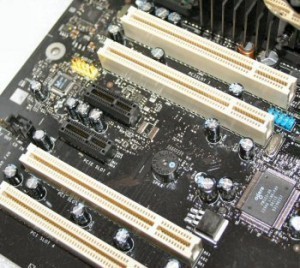
PCI Express slot sizes are classified according to the form factors. PCI Express SlotThere are four sizes: x1, x4, x8 and x16. The PC Express card (or PCIe) is 32 bits wide.

PCI Express General Characteristics

The capacity of the card varies per lane. For v1.x it is 250 MB/s; for v2.0 it is 500 MB/s, for v3.0, 1 GB/s. The specifications for the 16 lane slots are as follows: for the v1.x, it is 4 GB/s, for the v2.0, 8 GB/s and v3.0, 16 GB/s. Obviously, the specs for the PCIe has changed for each PCIe generation.

Note: PCI Express slot sizes can accommodate only cards that are designed for it. It is also possible for slots to have fewer lanes that can actually fit in. For example, an x8 slot can operate at x1. 8x and other cards can be used but it can only run at a specified speed.

Speed

For the 1.x, the clock speed is 1.25 GHz; the transfer rate is 2.5 GT/s and the overhead is 20%. The data rate is 250 MB/s. For PCIe 2.0, the clock speed is 2.5 GHz. The transfer rate is 5 GT/s and the overhead is 20%.

The data rate is 500 MB/s. For version 3.0, the clock speed is 4 GHz; the transfer rate is 8 GT/s, the overhead is 1.5% and the data rate is 1 GB/s.

PCI Express Mini Card

The PCI Express slot size for laptops are built specifically for PCI Express Mini Cards. Developed by the PCI-SIG, it is USB 2.0 compatible. The PCI Express Mini Cards themselves measure 30 × 50.95 mm. There is also a 52 pin edge. These cards also have two rows set on a 0.8 mm pitch. There are 16 contacts on the rows.

There is also a half length card (30 × 26.8 mm). The cards are all 1 mm thick. Among the buses and connections are USB 2.0, wires to diagnostics LEDs, and SIM cards for GSM. They also have SMBus and the PCIe ×1.

Derivatives

Since the PCIe appeared, numerous card variants have appeared. Most of these are compatible with the existing PCI Express slot size. They include low height cards, the XMC and the ExpressCard. The ExpressCard is the replacement for the old form factor.

The PCI ExpressModule is a form factor designed for workstations. The AdvancedTCA is used together with the CompactPCI for specialized applications. The AMC is employed with AdvancedTCA in procedures involving I/O modules on ATCA boards.

The specifications for the PCI Express 3.0 are due by March 2010. Among the features expected to be implemented are clock data recovery, channel modifications and improving the PLL.

The bit rate will be set to 8 gigatransfers per second. By comparison, the PCI 2.0 was able to relay 5 GT/S but used a 8b/10b encoding scheme. The PCI 3.0 will double this rate.

The PCI Express slot sizes in most computers are compatible with the numerous card types that are in the market. How these slots will be affected by new developments in PCI Express cards remains to be seen.

Mouse Sizes

Wednesday, January 20th, 2010

Today’s mice do more than just point and click. For computer users and buyers, the extra features and functionality that come with the mouse have to be considered too.

Mouse Dimensions: Microsoft Wireless Notebook Optical Mouse 3000

This Microsoft mouse measures 8.7 x 5.4 x 2.7 inches and weighs 8.3 ounces. The mouse has a snap on receiver that can turn the mouse off automatically, saving battery life. The mouse has also been designed for extended use, so the battery life can last for up to six months.

A Microsoft High Definition mouse (1000 dpi), it offers precision up to 6000 FPS, 0.18 microns, 85 MOPS or smaller CMOS. It uses the Microsoft Intelligent Tracking System to facilitate tracking. The movement itself is tracked by a built in optical sensor.

It is ambidextrous in design. There is no need to install software; all that’s needed is to plug in the receiver and insert an AA battery in the mouse.

Mouse Dimensions: Logitech VX Nano

The Logitech VX Nano measures 8.3 x 7.1 x 2.4 inches and weighs 13.6 ounces, Made for notebook computers, the receives just has to be put in the USB port. Once that’s done, the mouse will be ready for use.

The mouse uses the 2.4 GHz cordless technology so wires are not needed. It also comes with a scroll, suitable for going through a long Web page or file. The scrolling can be done in Free spin Mode or the hyper fast mode. Click to click mode is also available for those who need to navigate in detail. There are backward and forward buttons which can help in browsing the Web.

Mouse Dimensions: Sabrent MS-U3266

The Sabrent MS-U3266 Optical Mouse measures 2.8 x 1.5 x 5.6 inches and weighs 2 lbs. The resolution is 800 dpi, which is double the standard for mice. There is also a retraceable USB cord. This allows the cable to be adjusted to the right length so your desk doesn’t get cluttered.

Because it uses optical technology, the mouse can work on a lot of surfaces. The Sabrent MS-U3266 also has a Roller Button, useful for scrolling up and down or left to right Web pages and documents. The mouse also lets you zoom in on files. The optical sensor generates 1,500 signals per second for accurate tracking.

Mouse Dimensions: Logitech MX 518

The Logitech MX 518 Gaming Mouse measures 9.5 x 9.5 x 2.5 inches and weighs 15.2 ounces. Made for gamers, it comes with a 1600 dpi resolution and MX Optical Engine. The mouse can also be adjusted quickly, allowing a player to go from rapid twitch acceleration to precision targeting.

The grip is contoured, the purpose being to provide comfort during long hours of use. Aside from the main buttons there are also other buttons on the mouse. There is also a scroll button. The mouse works with Windows XP (plug and play).

For casual computer users, the mouse dimensions and technical specs may not be that important as long as it can point and click. For notebook users and gamers, however, these stats can make a huge difference.

Dimensions of a PDF Page

Sunday, January 17th, 2010

PDF stands for Portable Document Format, which was created by Adobe Systems in 1993 as a file format designed for document exchange. Independent of the operating system, hardware and application software, it is used to represent documents that are two-dimensional. Every PDF file comes with a full description of a fixed-layout two-dimensional document, which includes 2D vector graphics, images, fonts and text. In addition to these basic facts, there are other interesting details about it including the dimensions of a PDF page.

PDF Page Dimensions

Measuring the actual size of a PDF page when set to a 100 percent view, it is 8 inches wide and 10 inches long. However, this measurements are about to change when the view is set to a larger or smaller size. In terms of structure, each file can have eight different kinds of objects, which include strings, numbers as well as Boolean values. Aside from these, you can also find the Null object, arrays and names. You can also find streams, which are made up of large volumes of data. Each file can have collections of names arranged by names, which are called dictionaries.

Additional Facts and Other Interesting Details

A device-independent Cartesian coordinate system is used to produce PDF graphics. The primary purpose of this is to describe the page’s surface. A matrix is then used by a PDF page description to skew, rotate or scale graphical elements. As of version 1.6, a PDF file features a total 24 different graphics state properties, the most important of which are the key transparency component called the alpha constant, the color space as well as the clipping path. In order to determine the coordinate system, it also has the current transformation matrix.

A PDF file is designed to support different image filters, the most important of which are the FlateDecode, DCTDecode and RunLengthDecode. Aside from these, you can also find other general-purpose filters like the JPXDecode, JBIG2Decode as well as CCITTFaxDecode. In page content streams, the text is represented by two major elements, namely the encodings and the fonts.

Based on the standards set under the International Organization for Standardization or simply ISO, the PDF has several subsets. One of these is the PDF/UA, which is for PDF files, specifically those that are universally accessible. Another one is the PDF/E, which is intended for the exchange of drawings in engineering. For graphic arts and printing, the appropriate subset is the PDF/X.

Every PDF file is comprised of raster graphics, text and vector graphics. Raster graphics are for images and photographs, while vector graphics are for designs and illustrations, specifically those that are made up of lines and shapes. Some of the most notable typefaces significant to PDF documents include Helvetica, Courier and Times.

Printer Dimensions

Thursday, January 14th, 2010

Printers today come with all the bells and whistles, Printerbut sometimes it adds to the bulk. The following should give you an idea of the size of printers today.

Printer Dimensions: HP Photosmart A526

The HP Photosmart measures 250 x 150 x 207 mm (w x d x h). The weight is 1.22 kg. The power consumption is 23 watts and is compatible with USB 2.0. The HP Photosmart runs on Windows XP, Vista and Mac OS 10. The memory is 32 MB (standard) and has 600 nozzles per print head.

The maximum resolution is 4800 x 1200 dpi (at the best quality). The max printing speed is 75 seconds at the highest quality setting. For draft quality on photo paper it is 38 seconds. The paper sizes it supports include the 10 x 15 cm, 10 x 30 cm and HP photo paper. The output capacity is 20 sheets.

Printer Dimensions: Canon Pixma IP1300

The printer weighs 2.9kg and measures 435 x 249 x 165 mm (w x d x h). Photo paper, glossy photo paper, matte photo paper and envelopes can be used. The printer can also handle the following paper sizes: A4, letter, B5, A5, envelopes, 5" x 7", credit card and many more.

The print speed is 11ppm (mono and color). For the photo paper plus glossy, it is 70 seconds. The highest resolution is 4800 x 1200 dpi. Borderless photo printing is also permissible. The printer runs on Windows 98 up to Vista and the Mac OS.

Printer Dimensions: Epson Photo R1900

The printer measures 24.3 in (w) x 12.7 in (d) x 8.4 in (h). The weight is 26.9 lbs. There are 180 nozzles on each cartridge. It has a maximum resolution of 5760 dpi x 1440 dpi (black and white) and 5760 dpi x 1440 dpi for color. The unit can handle up to 120 sheets. The RAM is 64 KB and accommodates a variety of paper sizes.

This includes 4 in x 6 in, 5 in x 7 in, 12 in x 12 in, letter A size (8.5 in x 11 in), legal (8.5 in x 14 in), and many more. Borderless photo paper can also be used. The maximum media thickness is 0.11 in. The printer is also Energy Star compliant. The R1900 can also print on CDs or even DVDs. The media weight is 60 g/m2.

Printer Dimensions Canon Pixma iP3680

The printer measures 431 x 296 x 153 mm and weighs 5.6 kg. The maximum printing speed is 26ppm for black text. For color it is 17ppm. For photo paper it is 41 sec. The maximum resolution is 9600 x 2400 dpi. Among the various paper sizes it can support are A4, letter, legal, 8 x 10” and 5 x 7”.

The unit is compatible with USB 2.0. Numerous types of photo papers can be handled as well. The printer is compatible with Windows 2000 SP4 up to Vista, and the Mac OS. It comes with bundled software.

The printer dimensions need to be evaluated, especially if your desk is already crowded. It can mean the difference between being productive and not.

USB Port Size

Tuesday, January 12th, 2010

The USB port size (in terms of width by bits) is 1. USB PortThe devices are 127 (per host controller) with a capacity of 1.5, 12 or 490 Mbits/s. That is about 0.2, 1.5 or 60 Mbytes/s.

Overview

The USB port was designed to replace the various serial and parallel ports used in PCs. The first USB came out in 1996. Since that time it has been used to connect everything from mice, printers, flash drives and other electronic gadgets to the computer. It is also used in PDAs and numerous video game consoles.

Device Classes

More than the USB port size, it is the device classes that are used to distinguish a device’s role. This also allows a device writer to provide compatibility regardless of the manufacturer. For class 01h, the usage is for the interface. Instances include sound cards and microphones.

For class 02h, usages are device and interface. Examples of these are the Ethernet adapters, the modem and serial port adapter. For class 03h (usage interface) the devices are mouse, keyboard and joystick. For class 05h (usage, interface), examples are force feedback and the joystick.

The USB class 06h (interface) is used for scanners and the webcams. The class 07h (interface) is for laser and inkjet printers. The USB class 08h (usage interface) is designed for memory card readers, flash drives, digital audio players and external drives. The USB port size and class 09h (usage, device) are for hi speed and full speed bus.

Other USB Device Classes

The USAB class 0Ah works with class 02h. Class 0Bh is for USB smart card readers and class 0Dh for security. The USB device class 0Eh is for the webcam. The USB class DCh is for diagnostics. Class E0h is for Bluetooth and wireless adapters. The EFh is designed for Activesync devices; the FEh class is for lrDA Bridge, text and measurement class. The FFh is set aside for specific drivers from the vendor.

Signaling

Whatever the USB port size, hubs provide support for full speed rates (12 Mbit/s). The hi-speed is set at 480 Mbit/s and for USB 2.0. These devices are also backwards compatible. The SuperSpeed (USB 3.0) is capable of 5.0 Gbit/s. Because they utilize duplex operations, they are not fully backwards compatible with legacy connectors.

USB Connectors

The earliest connectors were the USB A and the USB B. The USB A was shaped like a rectangle. It is used often on devices like keyboards and the mouse. The type B is used mostly for receiving power from a device. The Mini A, Micro A and Micro B connectors are used for mobile devices. They are usually 3 by 7 mm.

USB Cables

The longest USB cable is 5 meters. That is about 14 ft. The reason is to keep the round trip delay to 1500 ns. USB 1.x/2.0 cable wirings come in four types: the VCC, D-, D+ and GND.

The USB port sizes and specifications are being constantly changed to meet the current demands of technology. Since USB 3.0 was demonstrated in 2007, it is widely expected by industry analysts that products will avail of it very soon.