When looking for a picture of 1 inch, you’re likely looking to see just how large is 1 inch? Perhaps it is for a school assignment, craft, design file or photo upload.
The problem is easy. 1″ on a screen does not necessarily represent 1″. Phones, tablets and monitors display images in different sizes.
Learn the actual size of 1 inch, make simple comparisons, and find out how to print or measure it properly! At the end you’ll know what you’re looking for.
What is a picture of 1 inch?
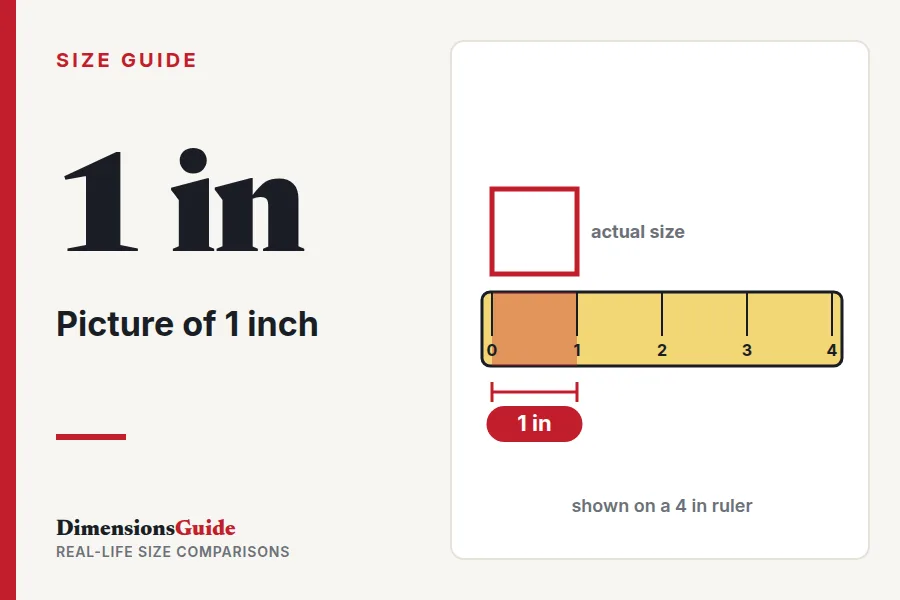
It is an image that depicts the length of 1 inch. This can be a close-up of a ruler, a simple line, a square, or a common object next to a measuring device.
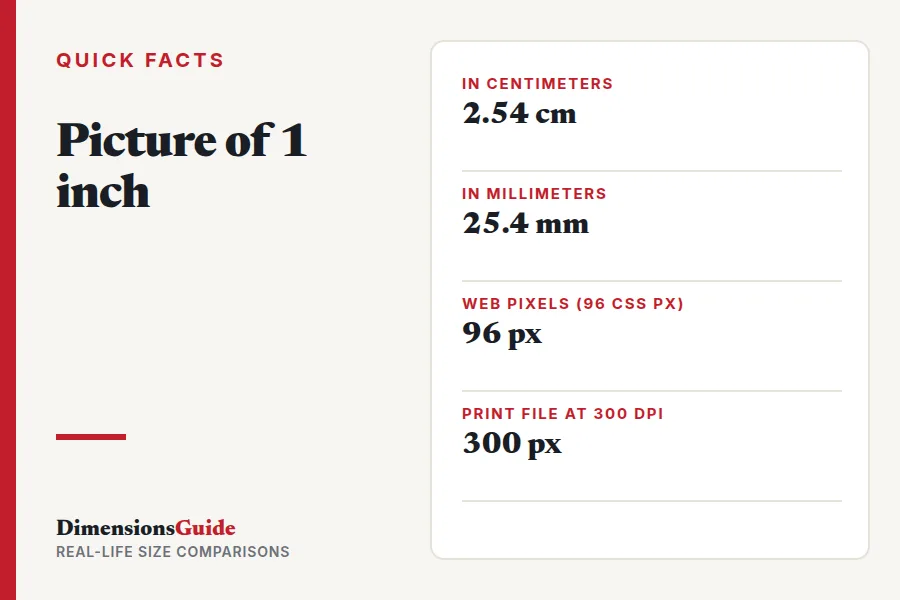
Inch is a unit in a system of measurement, both customary and imperial. A centimeter ruler measures 1 inch exactly as 2.54 cm. A centimetre ruler measures an inch exactly as 2.54 cm.
This sort of image is sought by people for many reasons:
To judge the size of a product when shopping online
To verify a measurement when it is not convenient to use a ruler
To teach to kid length of an inch
To plan printing, sewing or craft projects
Use the following steps to resize a photo for a form or ID:
How big is 1 inch?
One inch is easier to imagine when compared to real life objects. For more context, see NIST’s overview of metric and SI units.
Thumb: Many adults have a thumb width at the top joint that’s approximately 1-inch wide. This varies from individual to individual.
The width of a US quarter is 24.26 mm. That’s approximately 0.955 inches, making it just below 1 inch.
Round pin-back button: A round button that is 1 inch in diameter. It’s a standard size button.
If you put a 1 inch picture beside a dollar quarter, it appears to be somewhat smaller. That is normal, it’s only slightly under an inch wide.
You can use these examples to develop an understanding of size. They are not a substitute for an actual measurement.
1 Inch in Centimeters, Millimeters, and Pixels
These are the most helpful conversions: You may also like our guides on how big 2 mm is and how long 2.5 inches is.
1 inch = 2.54 centimeters
1 inch = 25.4 millimeters
72 points = 1 inch (a standard print unit in design software)
Use the reference size (96 CSS pixels) in web design to convert 1 inch to web pixels.
1 inch = 300 pixels in a 300 DPI print file
Care of the pixels is required. There is no actual size to a pixel. Its true size is dependent on the number of pixels on the screen.
For print purposes, the dot per inch is referred to as DPI. It will tell you the number of dots in one inch. The higher the DPI the sharper the image. 300 DPI is a standard that many photo prints apply.
Why a Picture of 1 Inch May Look Wrong on Your Screen
Most people open up an image, hold up a ruler to the screen and it is not one inch. This is very typical. Another useful comparison is how big 10 inches is.
There are a number of factors that affect the size you see:
The degree of magnification of your browser or image viewer
The size and resolution of the screen.
Automatic image scaling on phones and tablets.
The compression applied on the image file, or cropping.
To verify any picture that is 1 inch, put a ruler next to the screen and compare. If the sizes differ, use the image only as an approximation.
To get the true size of the image, print it out and measure the print.
Common Uses for a Picture of 1 Inch
It is very useful to have a clear reference one inch in a lot of everyday activities.
SEWING AND MARKING: Sew with precision in hems, margins and space.
Online shopping: Assess size of charms, stickers, jewellery and small components.
Education: Demonstrate a measurable length to children.
Set size of labels, icon size, and page margins.
Buttons and badges: It is common to get round pin back buttons that measure one inch.
Home projects: Estimate small gaps in a home, trim width and screw length.
What Is a 1 Inch Photo for ID and Forms?
The term “1 inch photo” can mean different things. In some countries, especially in parts of Asia, a 1 inch photo for ID or forms usually means 25 mm × 35 mm. That is about 1 × 1.4 inches. At 300 DPI, it is close to 295 × 413 pixels.
This is not the same as a 1 × 1 inch square. It is also not the same as a US passport photo, which is 2 × 2 inches.
Keep in mind that a 1 inch photo for a form is different from a simple picture of 1 inch. The first has rules for face size, background, and file size. The second only shows length.
Always read the official instructions before you upload or print. Rules can change by country and by form.
How to Measure 1 Inch Without a Ruler
If you do not have a ruler, try these quick methods:
- Use your thumb. The width of the top joint is often near one inch.
- Use a US quarter. It is a little under one inch wide.
- Use a standard bank card. Its height is 2.125 inches, so half of it is a little over one inch.
- Use a tape measure. The inch marks are usually the longest numbered lines.
These tricks give a rough size only. For a precise picture of 1 inch, use a real ruler or a correctly printed copy.
How to Print a Picture of 1 Inch Accurately
Follow these steps to print a picture of 1 inch at true size:
- Open the image or PDF in a viewer.
- In the print window, choose “Actual size” or 100% scale.
- Turn off “Fit to page” and “Shrink to fit.”
- Print one test copy.
- Measure the printed line with a real ruler.
- If the size is off, adjust the scale and print again.
PDF and vector files usually keep their size better than small screenshots. This makes them a good choice for printable rulers and scale guides.
Tips for Choosing a Good Picture of 1 Inch
Not every image online is reliable. Use these checks before you trust one:
- Look for markings in both inches and centimeters.
- Choose a high-resolution file so the edges stay sharp.
- Prefer a clear ruler close-up on a plain background.
- Check that the image states its true print size or says “actual size.”
- Avoid screenshots and heavily compressed images.
- Be careful with photos that have been resized or cropped.
A trustworthy image keeps the scale clear. If you cannot confirm the size, measure it before you use it.
Final Thoughts
A picture of 1 inch seems like a small thing, but accuracy matters. A tiny mistake in size can affect a craft, a print job, or a photo upload.
Remember the key facts: one inch is 2.54 cm, screens can change how images look, and printing at actual size gives the most reliable result. Use a real ruler to confirm.
When you need a trustworthy size reference, choose a clear, high-quality image and check it yourself. A few seconds of checking can save time, paper, and frustration.
FAQs
What does a picture of 1 inch look like?
It usually shows a ruler segment from 0 to 1, with small lines that divide the inch into halves, quarters, eighths, and sixteenths. Some images show a square that is one inch on each side. Others place a coin next to the ruler for comparison.
Is a picture of 1 inch the same size on every screen?
No. Screen size, resolution, and zoom all change how large the image appears. For a true one-inch size, print the image at 100% scale and check it with a ruler.
How many pixels make up 1 inch?
It depends on the use. Web design uses a reference of 96 CSS pixels per inch. A print file at 300 DPI has 300 pixels per inch. On a real screen, the number depends on its pixel density.
How many centimeters are in 1 inch?
One inch equals exactly 2.54 centimeters, or 25.4 millimeters. This is the same everywhere.
Is a 1 inch photo the same as a passport photo?
Not always. In some places, a 1 inch photo means about 25 mm × 35 mm. A US passport photo is 2 × 2 inches. Always check the official size rules for your document.